Introduction to R & RStudio

Lab 0

Hello R, This is Me!

Today…

In this lecture, we will…

  • learn what is R, RStudio and Quarto Document
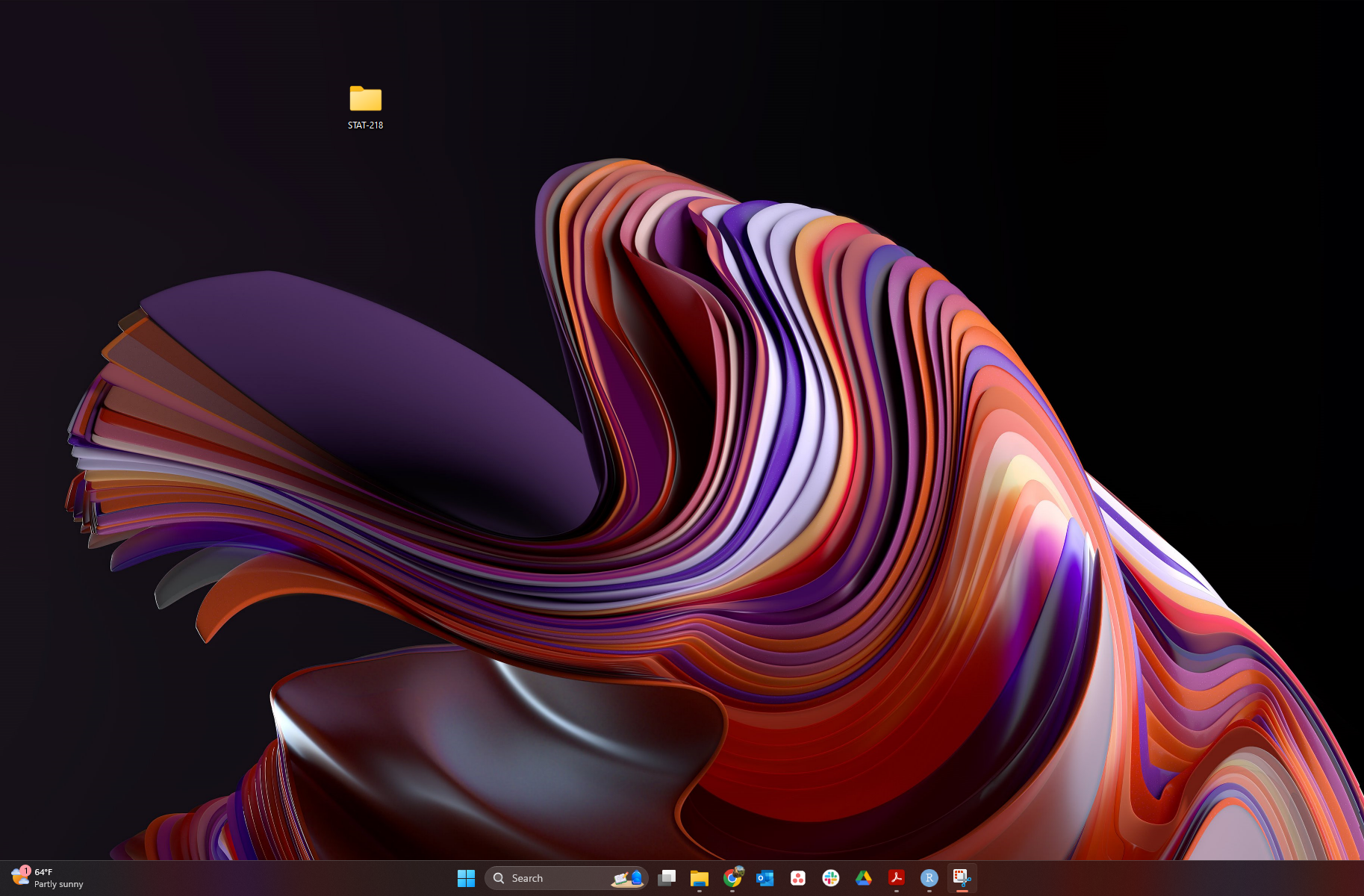
  • create A STAT-218 Folder in Your Desktop
  • create A New Quarto Document
    • save this document to your STAT-218 Folder
  • fill out the document
    • have first coding experience by
      • creating an Object
      • saying Hello World!
      • running some functions
      • render The First PDF

R and RStudio

Logo for R

The R Foundation, CC BY-SA 4.0, via Wikimedia Commons


RStudio logo flat

RStudio, Inc., Public domain, via Wikimedia Commons

  • R is a computer language.

  • R is an environment for statistical computing and graphics.

    • R provides a wide variety of statistical and graphical techniques.
  • R is a free open source software


  • RStudio is an integrated development environment (IDE) for R
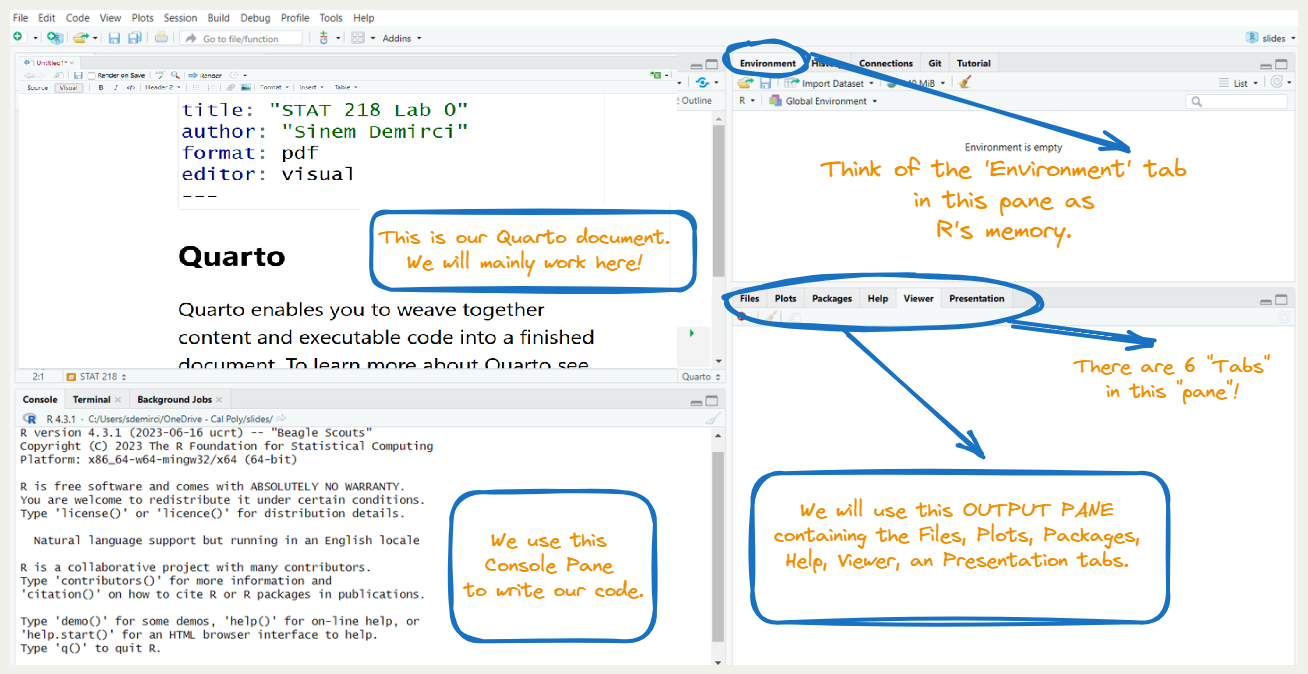
  • RStudio has four main panes each in a quadrant of your screen

What Can We Do with RStudio?

  • Everything we need to do for this class and beyond!

What is Quarto Document?

Quarto is…

  • an open-source scientific and technical publishing system
  • a multi-language, next-generation version of R Markdown.
  • enabling you to combine code and text to create rich outputs, like reports and presentations. (like an advanced version of a word processing tool)

Important

  • R is the programming language for statistical computing
  • RStudio is the IDE that facilitates R programming
  • Quarto document is a document type that combines text and code
  • In short, we will create Quarto documents in RStudio and we will combine text and R codes in that Quarto document to create our lab reports.

Today’s Tasks

Task 0: Let RStudio Do Things


If you are using Mac,

  • Find privacy and security in your settings
  • Then go to Files and Folders
  • You will see RStudio over there
  • Make sure to enable RStudio to reach out your desktop folder.

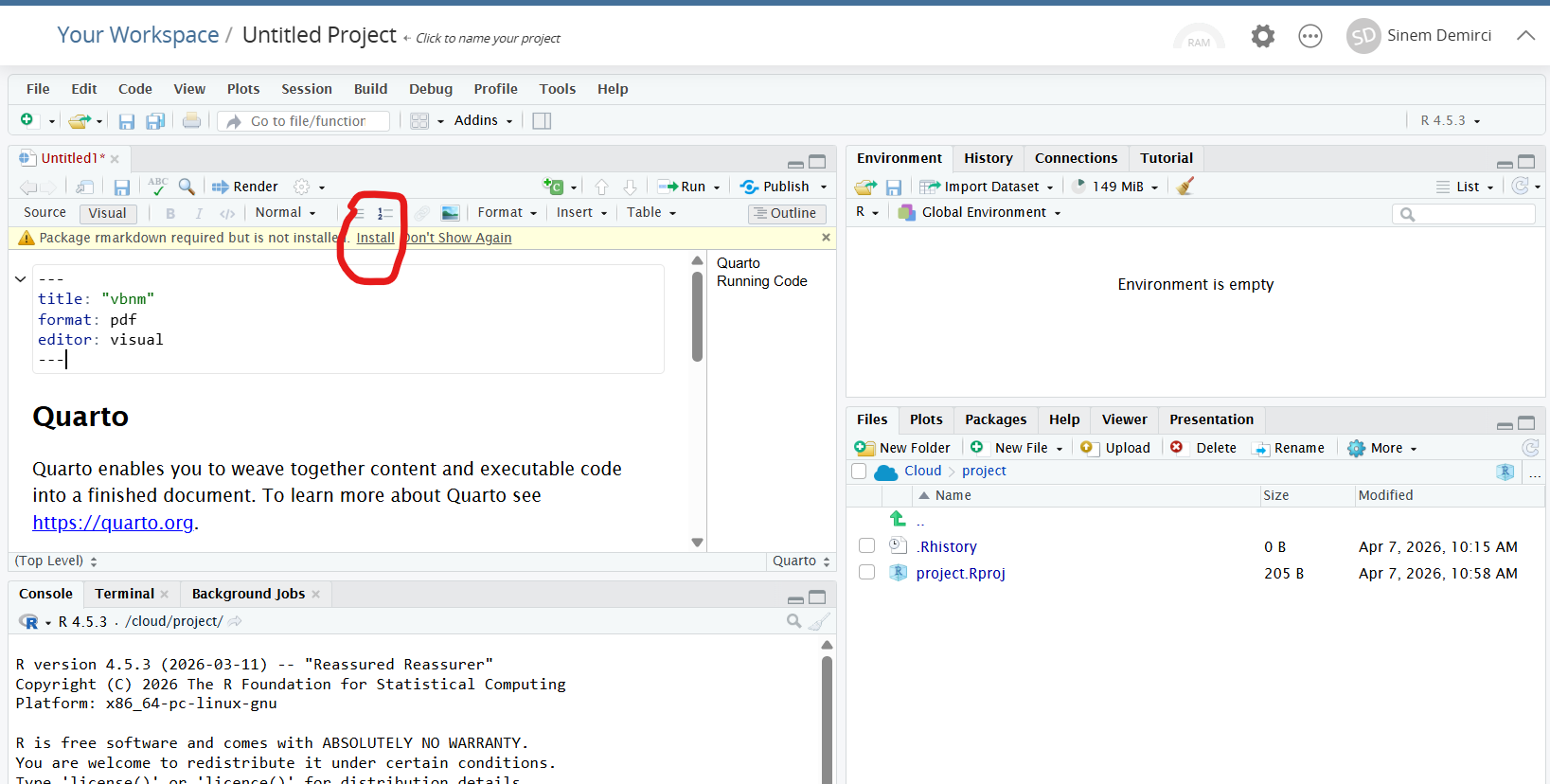
Task 0: Click “Install”

Task 1: Create A Folder
Task 2: Creating a Quarto Document


Tip

You can create your own Quarto document by clicking File > New File > Quarto Document

Let’s try to create our first Quarto document!


WARNING! I use Windows, you may use Mac or Linux or online version of R. Thus, your screen might look a bit different than mine.

Task 2: Creating and Saving a Quarto Document
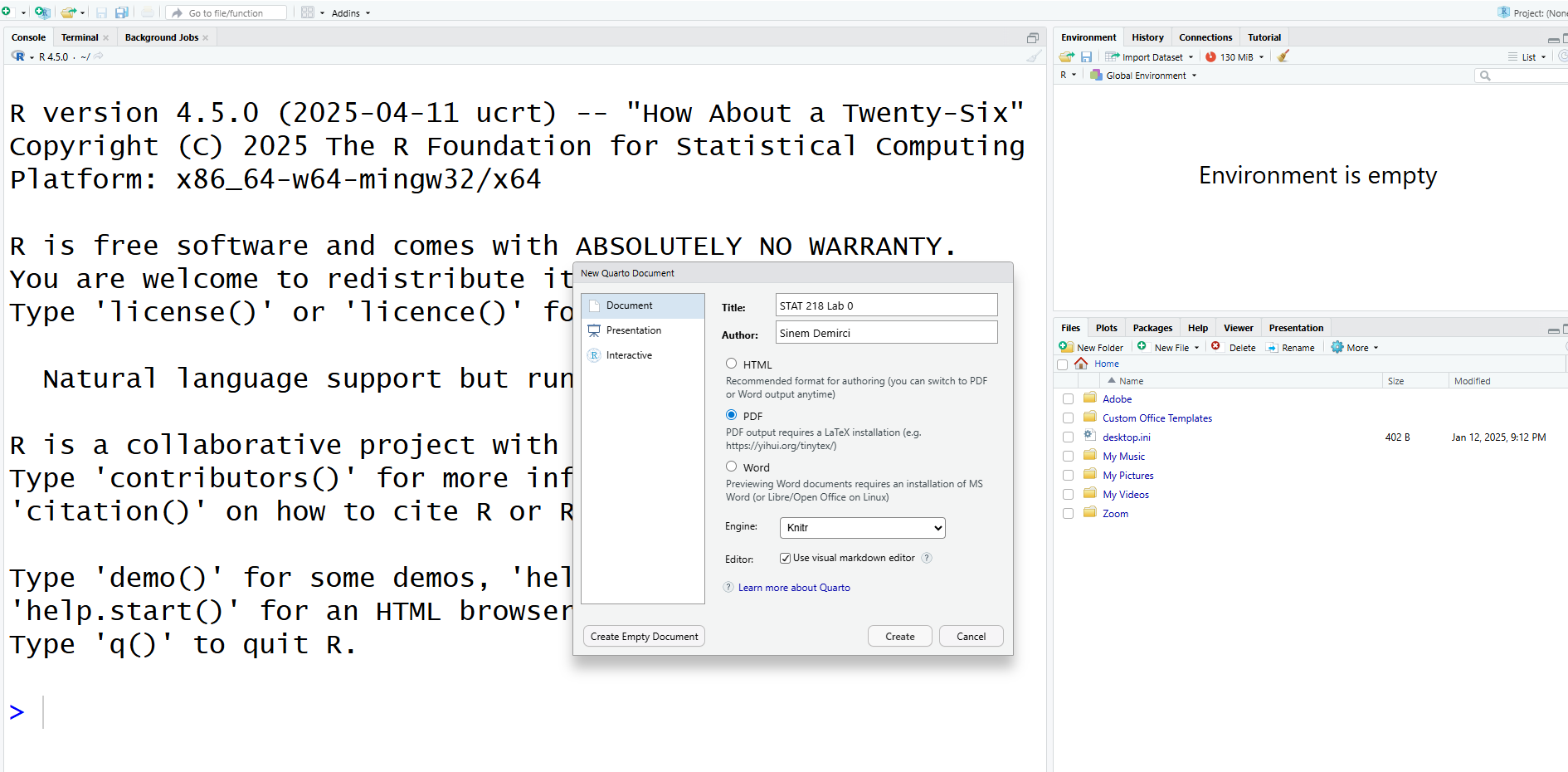
How to Create a New Quarto Document

Task 2: Creating and Saving a Quarto Document
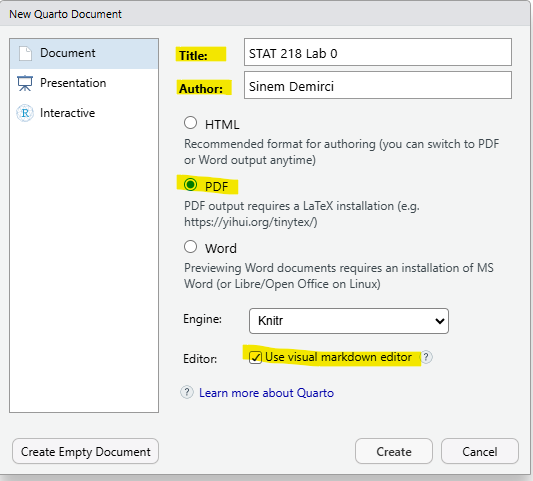
Task 2: Creating and Saving a Quarto Document

  • You can save your own Quarto document by clicking

    • File > Save
  • After that, YOU NEED TO FIND YOUR STAT 218 FOLDER TO SAVE YOUR FILE.

Panes in RStudio

A Closer Look into the Quarto Document
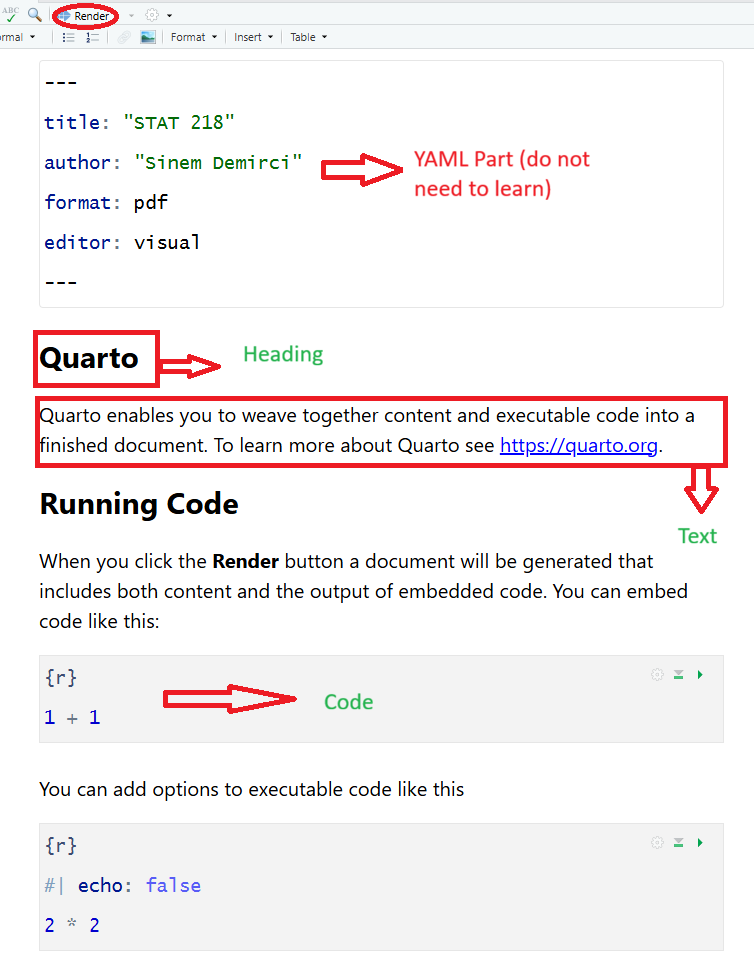
Task 3: Play with Your First Quarto Document
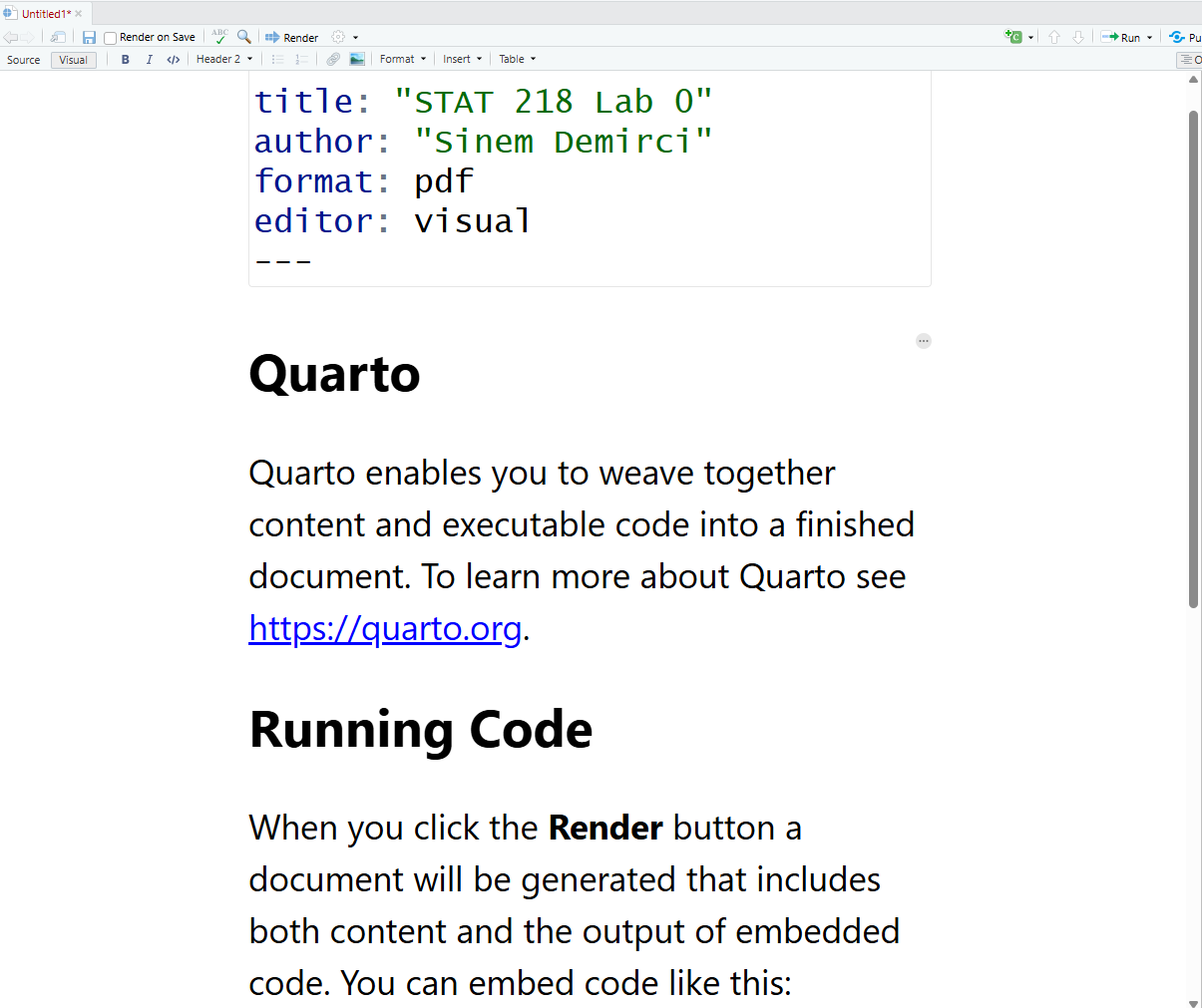
Delete The Default Content
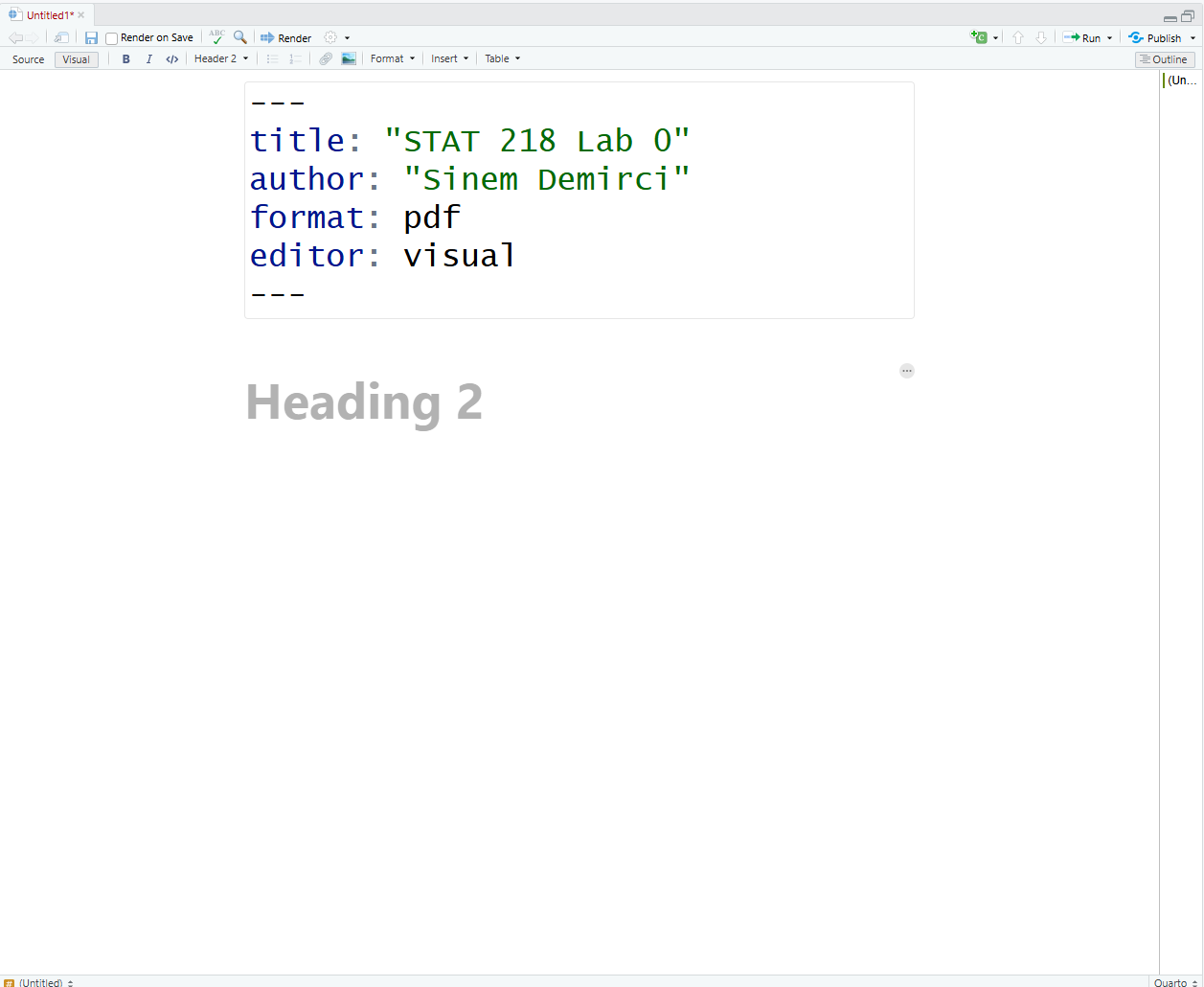
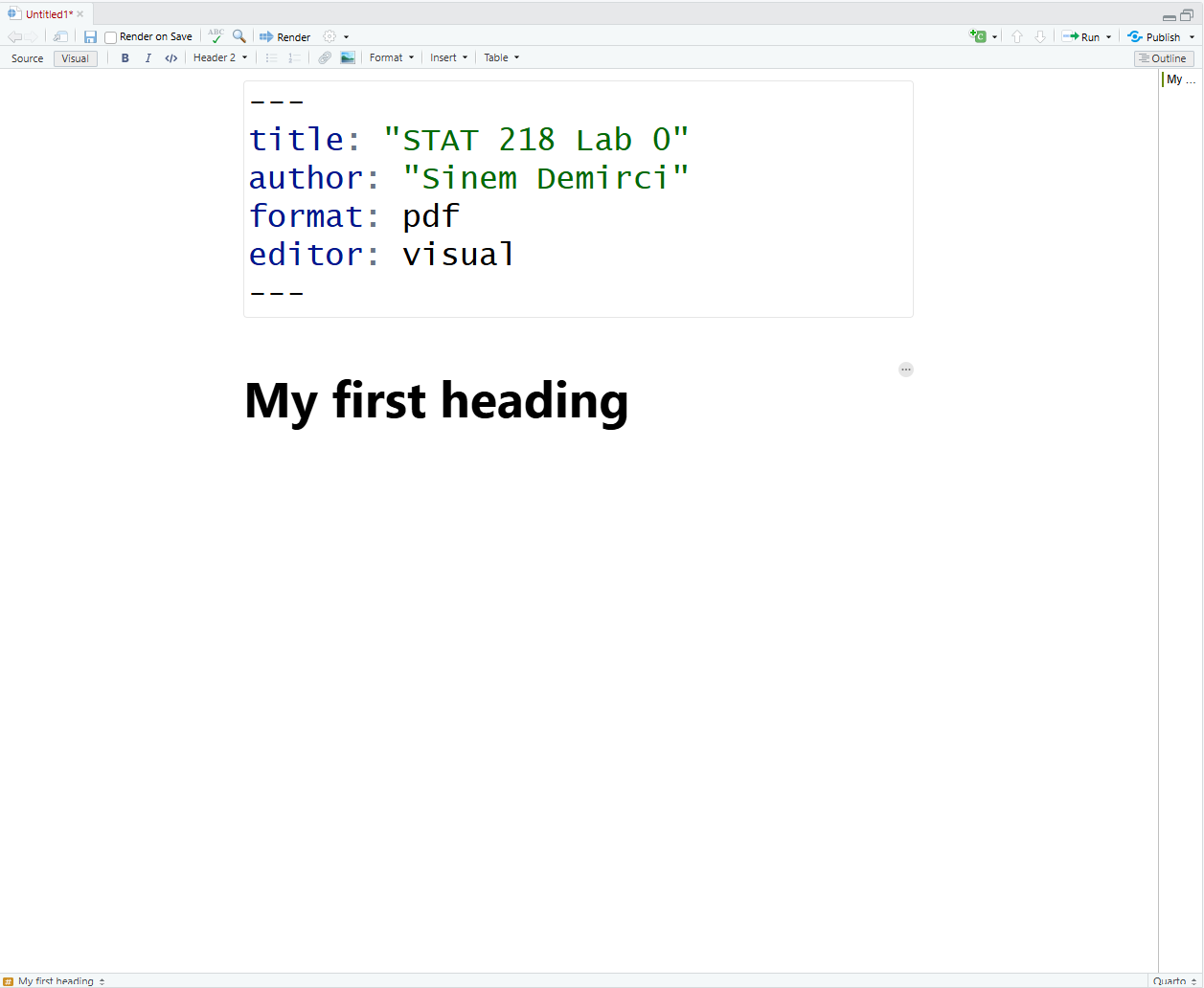
Add The First Heading
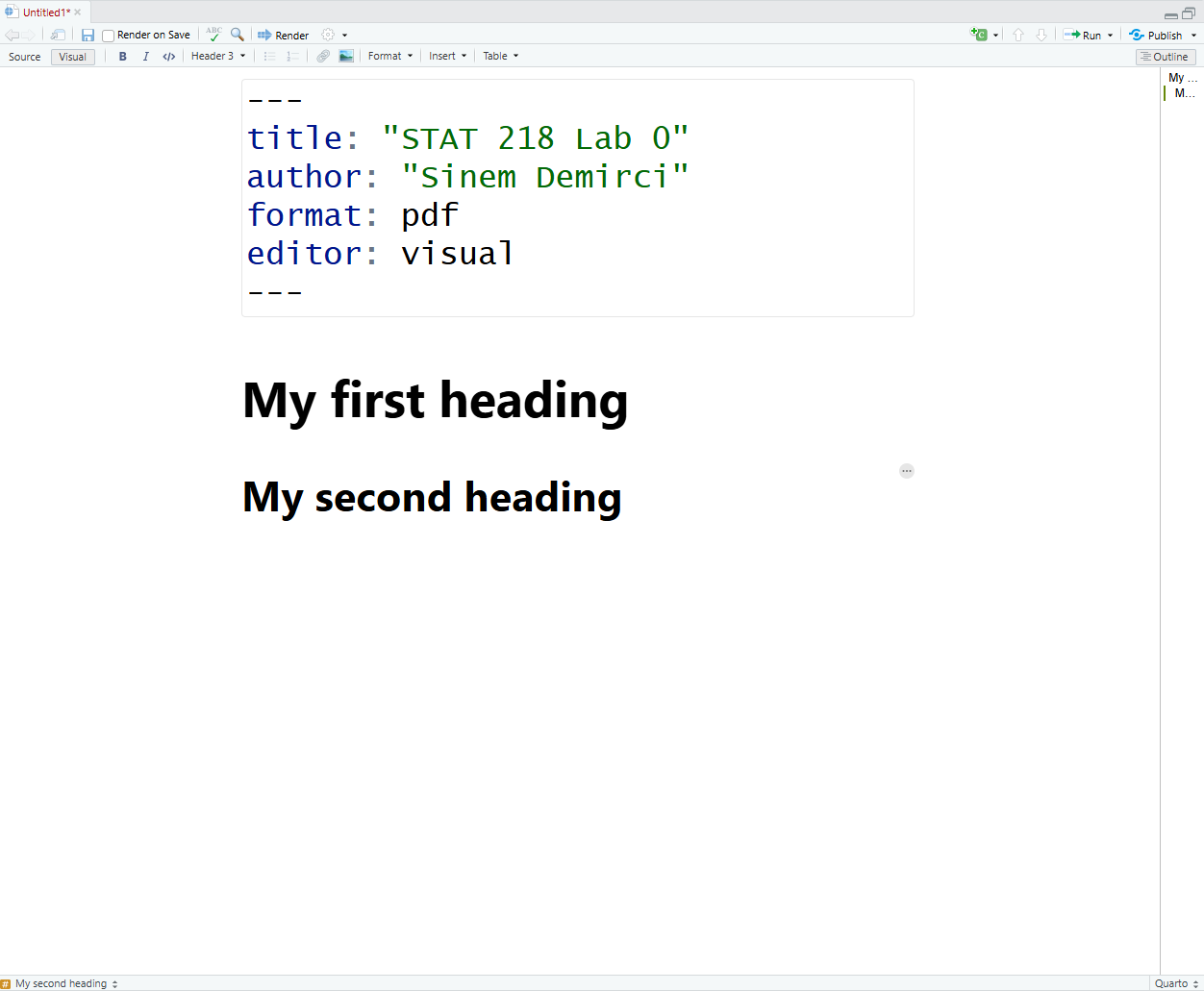
Add The Second Heading
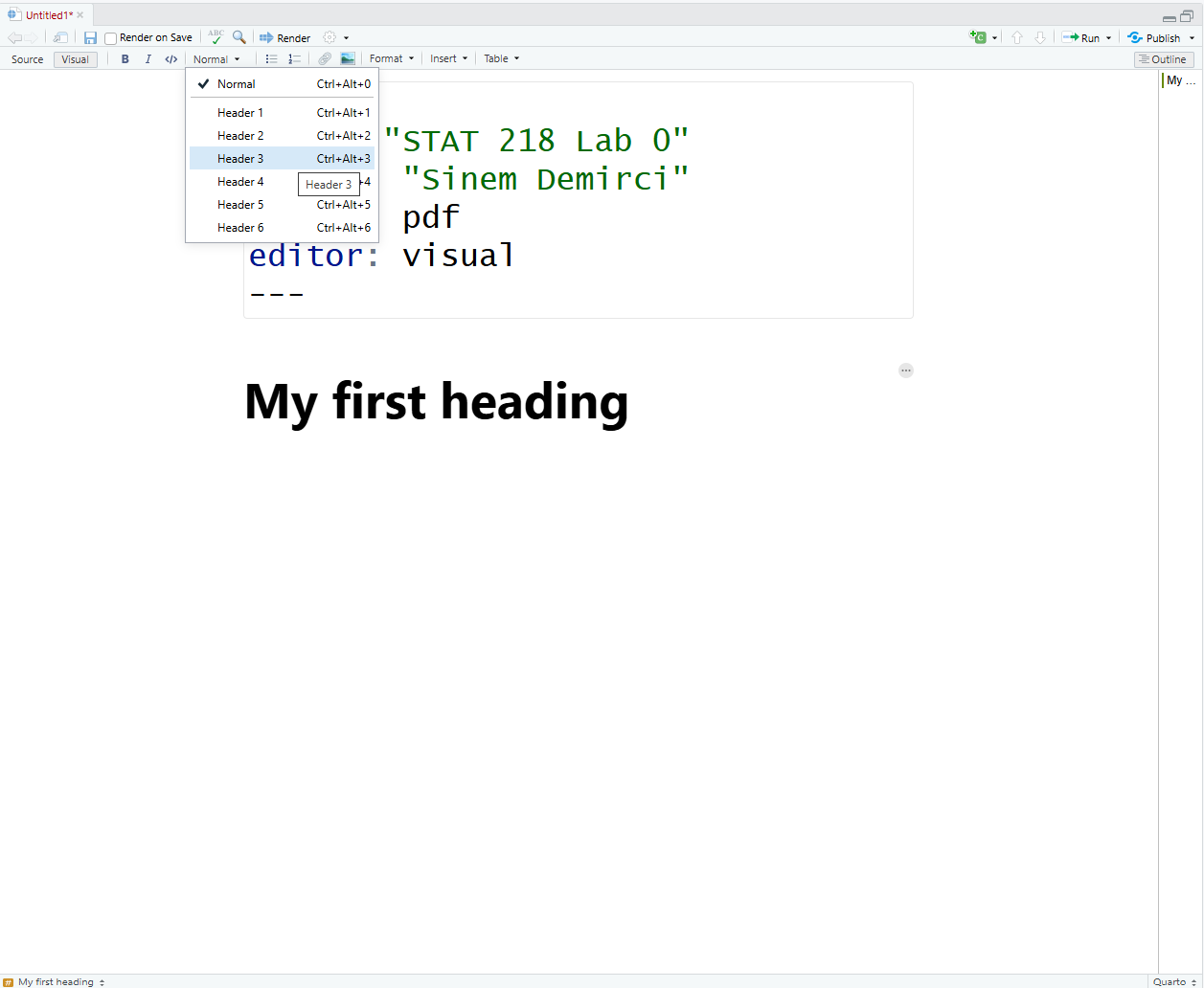
Add The Second Heading
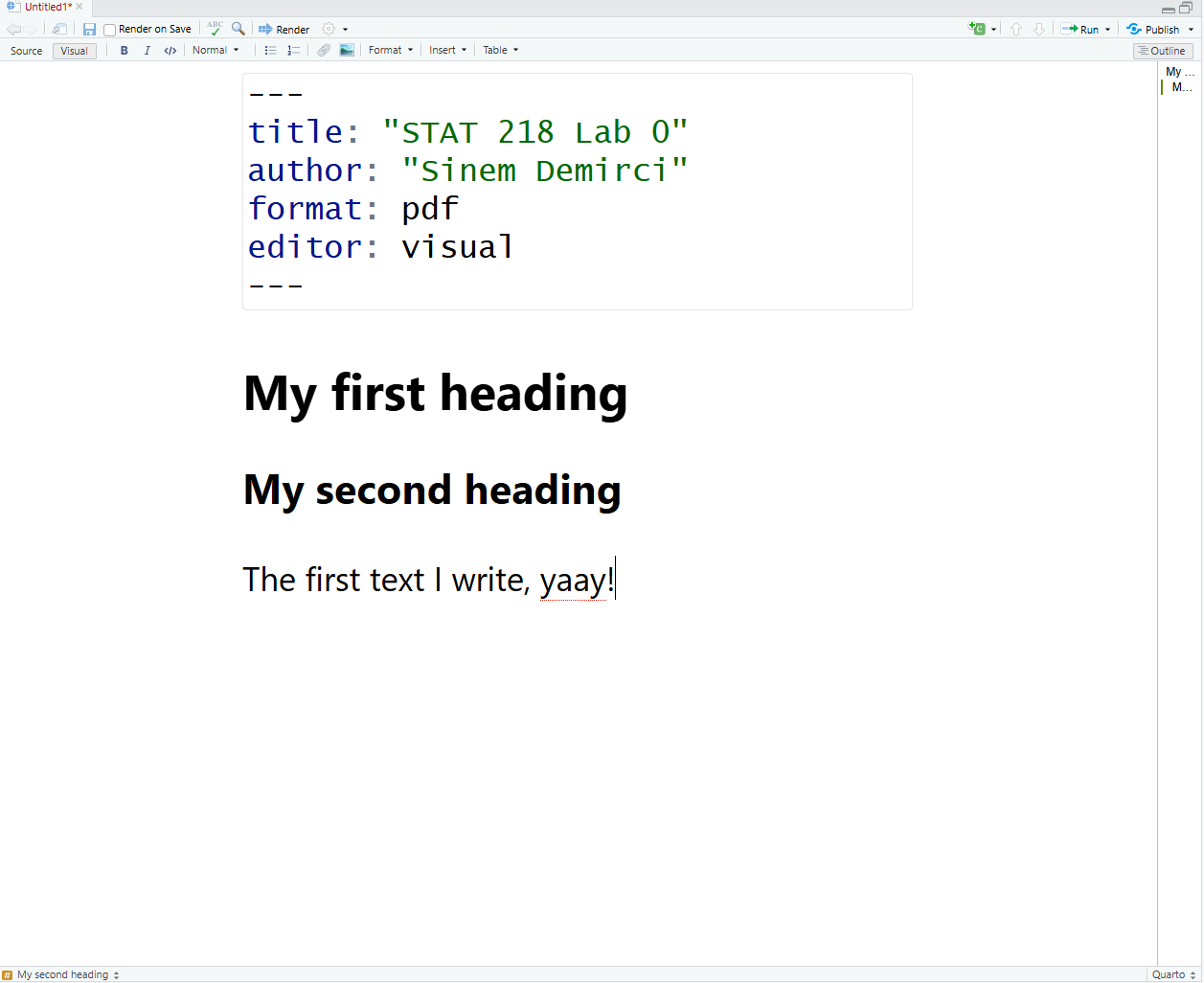
Add The Text
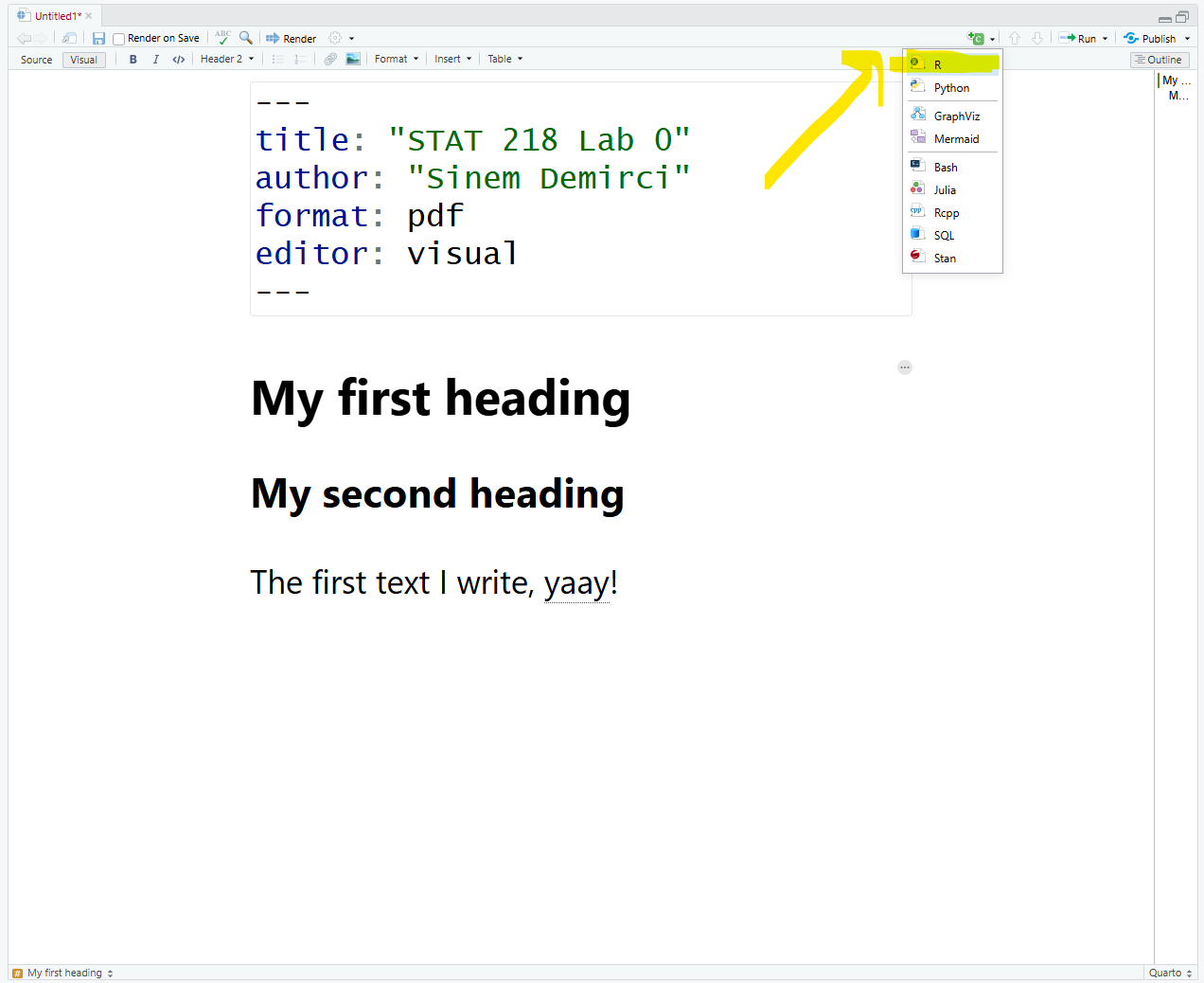
Add A Code Chunk
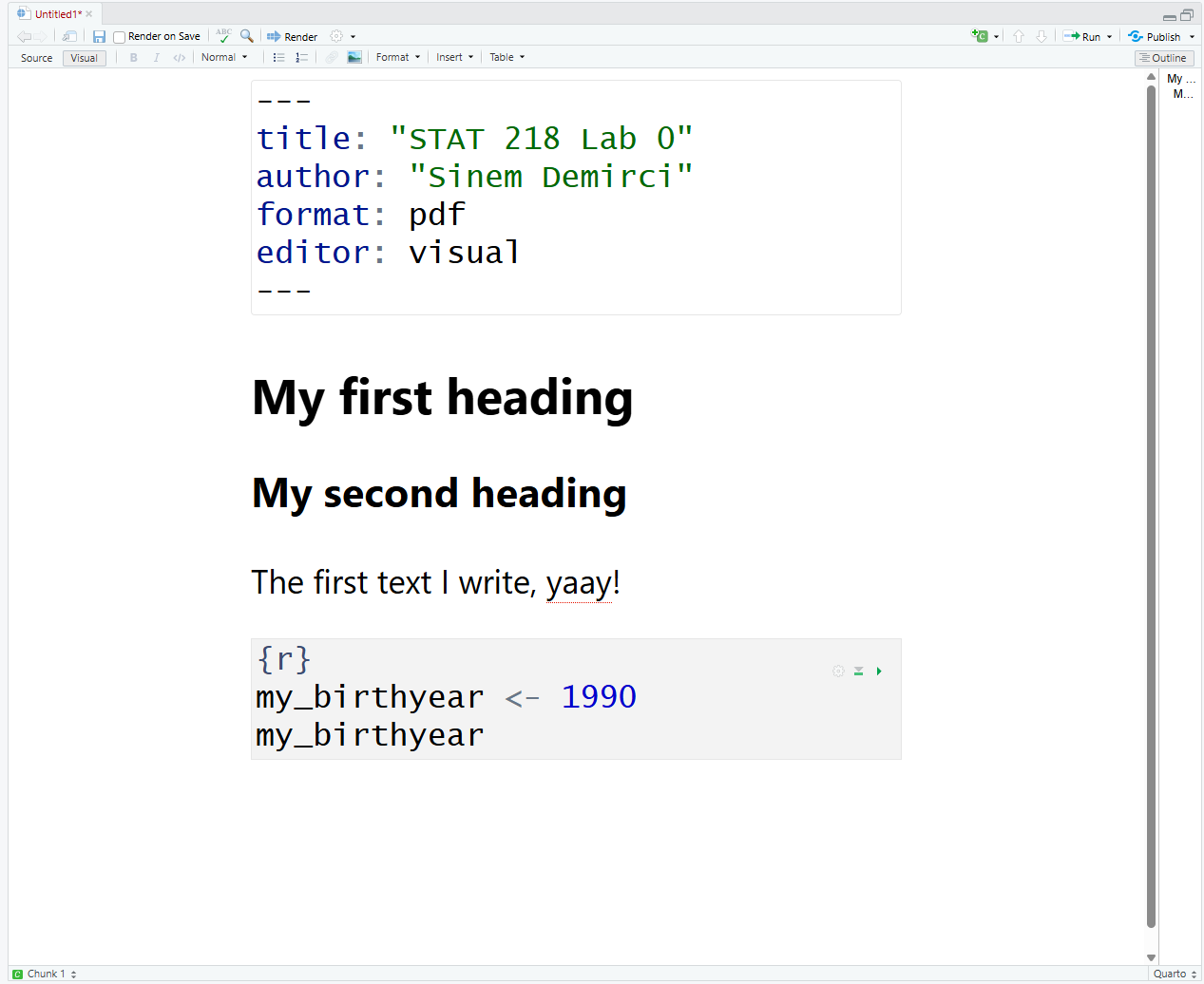
Type This Simple Code
Run the Code Chunk
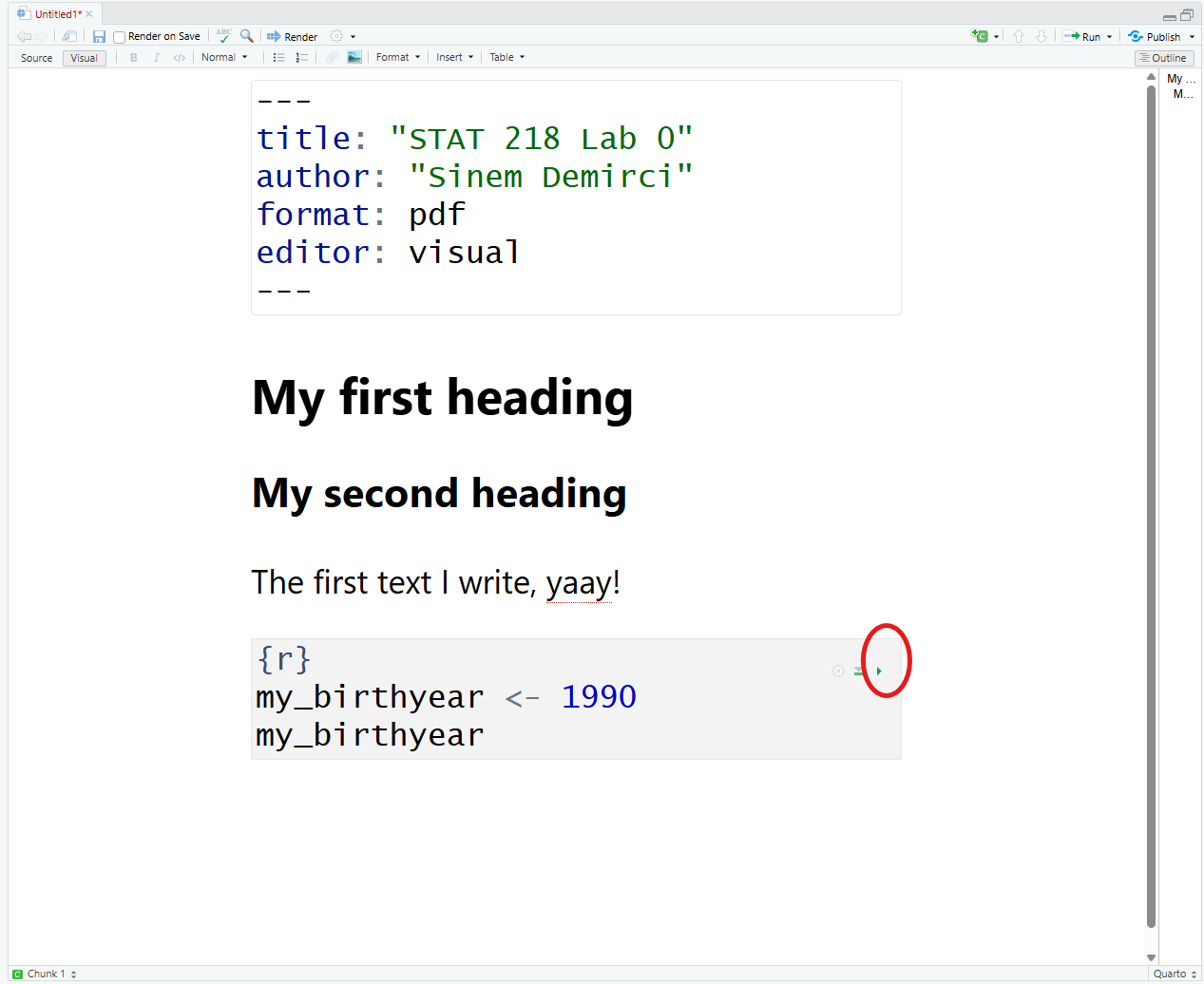
Run the Code Chunk
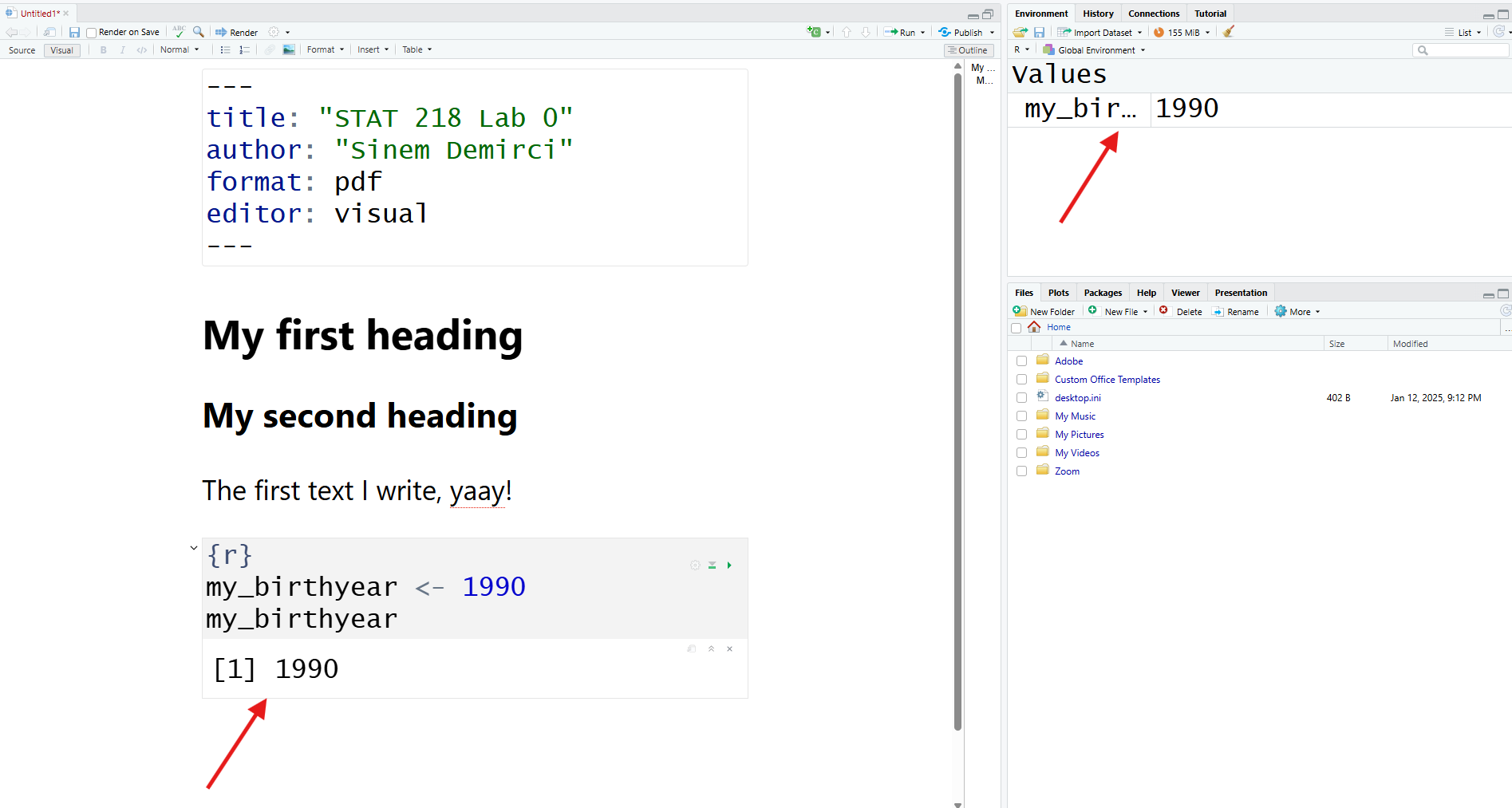
What Was That? - Creating An Object


We create an object by using “<-” called as “Object Assignment Operator”


Windows Mac
Shortcut Alt and - Option and -


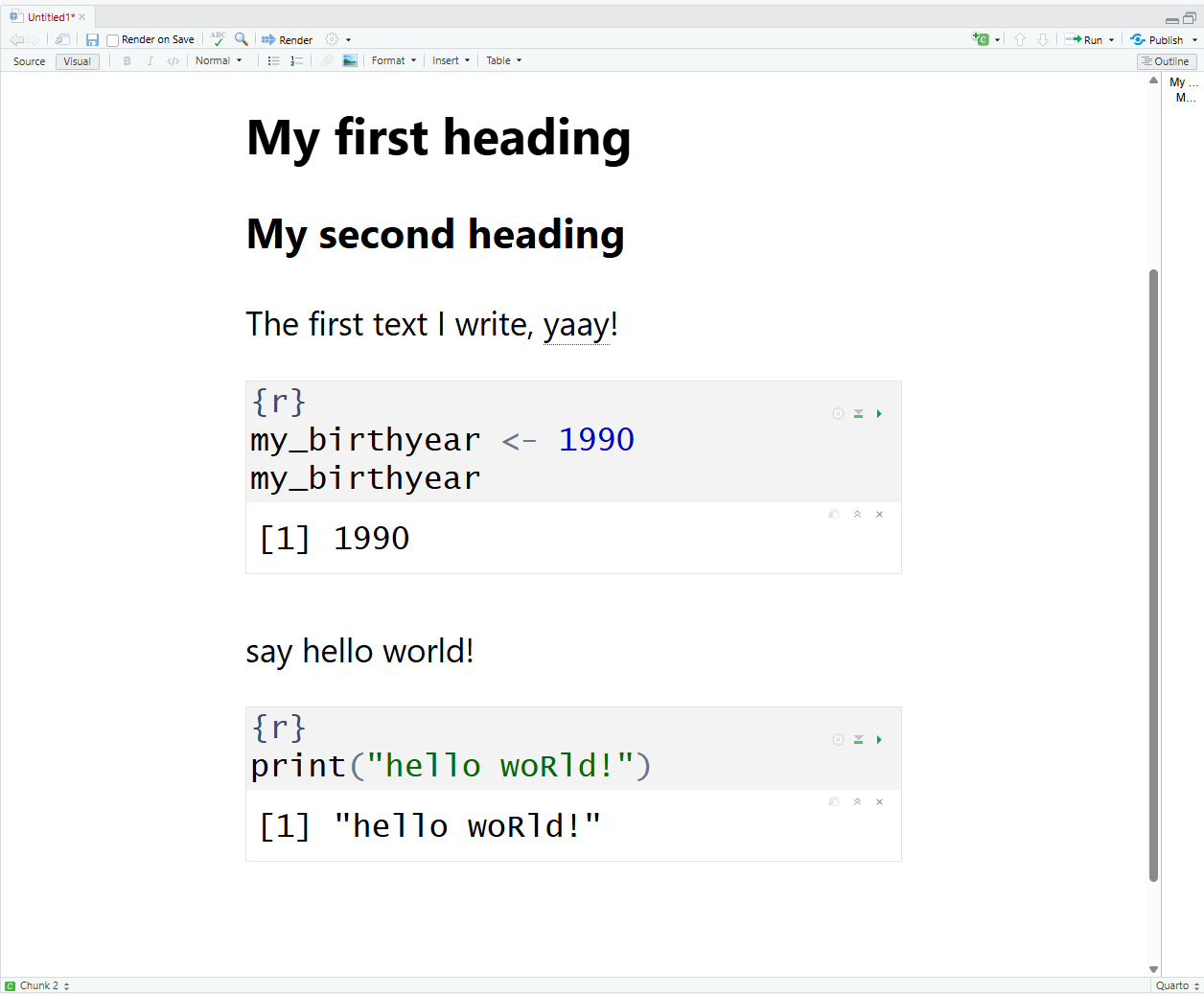
my_birthyear <- 1990
my_birthyear
[1] 1990

Say, Hello World!

  • hello world is a phrase that most programmers use when they first begin programming in any language.
Vocabulary Section

do(something)

do() is a function;

something is the argument of the function.

do(something, colorful) # I can put here a comment by using hashtag

do() is a function;
something is the first argument of the function;
colorful is the second argument of the function.

R ignores comments if you put # like above


I love Dr. Dogucu’s teaching strategy to teach students the basics of coding. This is how she explains the idea of coding. I am using some of her strategies during this session.

Check Your Document Before Rendering

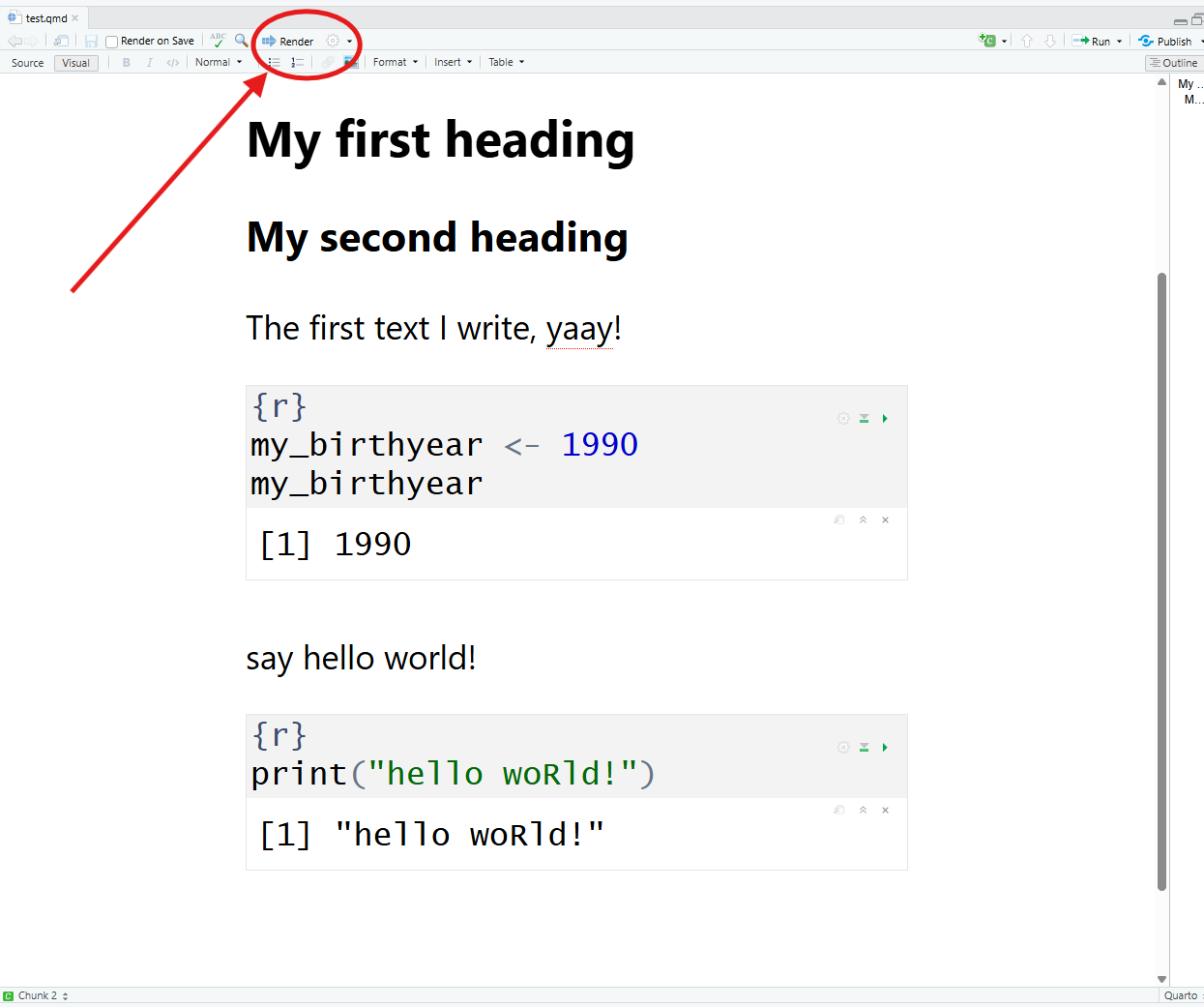
Rendering a PDF Document
  • The Quarto document that we created is a source file.

  • By rendering this, will have a different output file (e.g., PDF)

Rendering a PDF Document

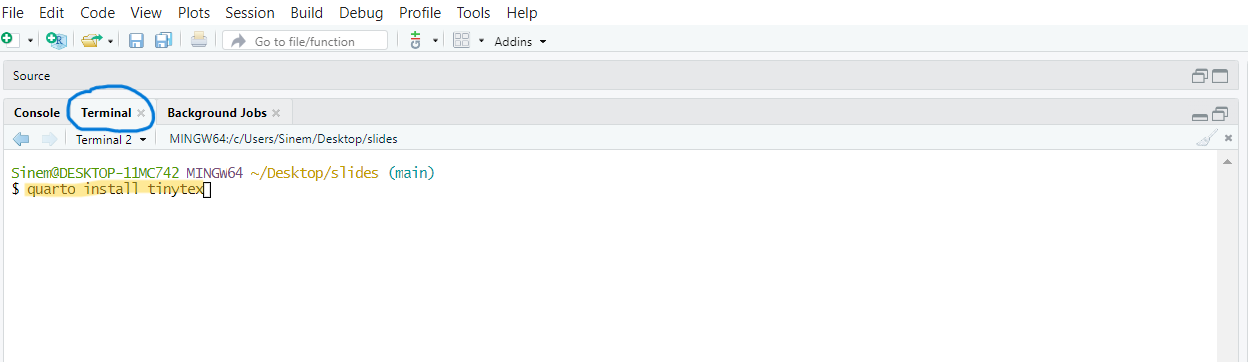
Open your terminal pane and type the following and press Enter:

quarto install tinytex


Rendering a PDF Document

Rendering a PDF Document

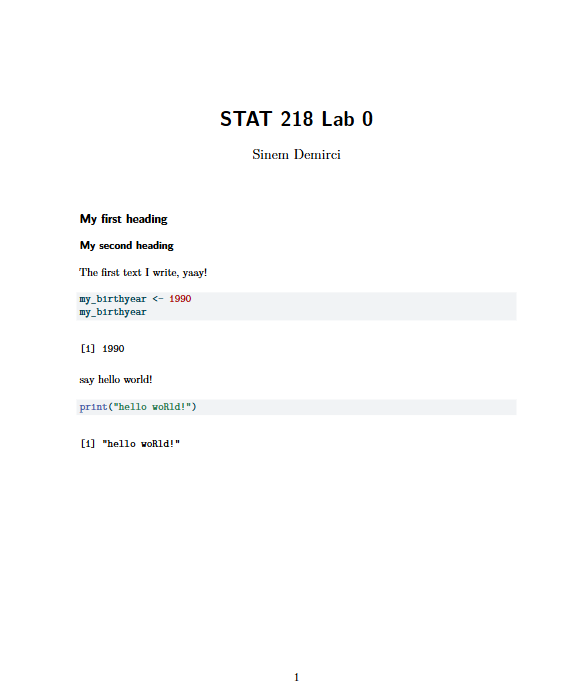
If you see this PDF file, you are all set!
Troubleshoot if not works


Paste this code to your Console
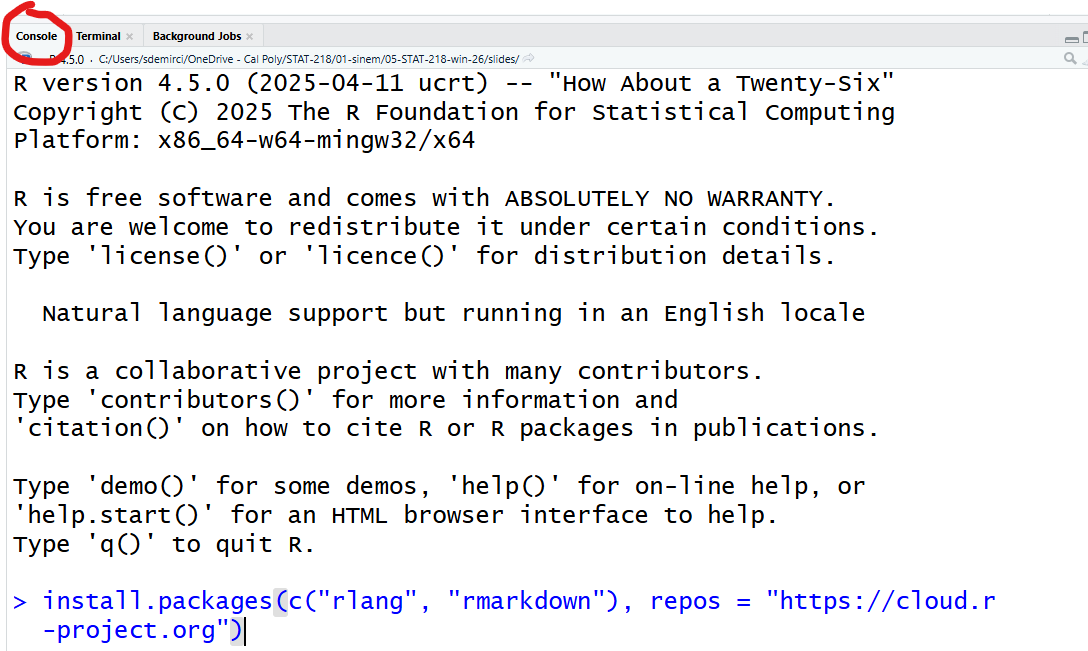
install.packages(c("rlang", "rmarkdown"), repos = "https://cloud.r-project.org")

Lab Assignment 0

  • Please upload this PDF document to our Canvas page as LAB Assignment 1 (Individual)

  • Begining from this Friday, we will start working in groups.

CONGRATULATIONS


Now, you can close your RStudio.

Everything you did is in your STAT 218 folder!